

Your chat has disappeared, but what about the photo you sent or the email address on your account? Here’s how to read a messaging service’s retention policy without getting lost in the small print.
You share a few photos while planning a weekend away. A day later, the conversation is gone. It’s easy to assume that everything connected with it has gone too.
But a chat window only shows part of the picture. The message, your account details and the service’s connection logs may each have a different lifespan. If you’re choosing a private messaging app, its retention policy helps you understand those differences.
You don’t need to read it like a lawyer. Start with three questions: what information is kept, where is it kept, and what makes it get deleted?
First, work out what “your data” includes
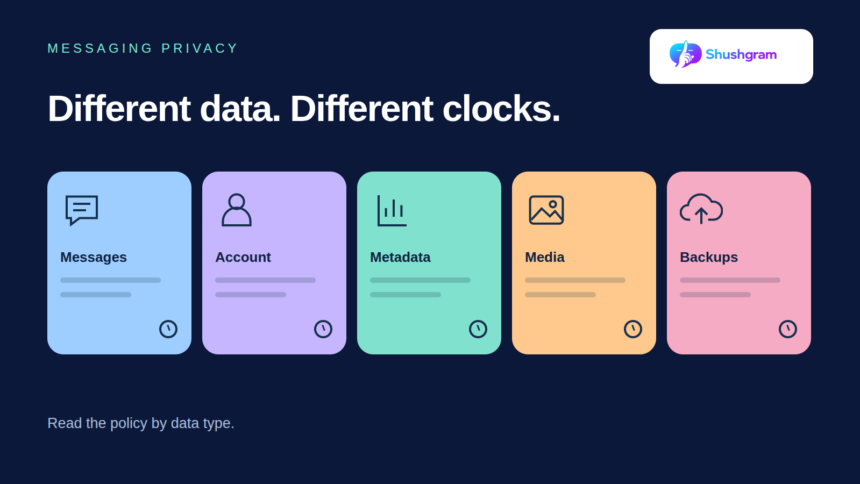
Message content. This is what you actually said. Check whether the rules differ before and after delivery. Does deletion remove the message from the server, your phone, the recipient’s device, or some combination?
Account information. Your email address, username and optional profile details help the service run your account. They may remain after a particular conversation disappears. Messages you send to support can also have their own retention rules.
Metadata. Think of this as information about an exchange rather than the words inside it. Depending on the platform, it could include connection times, IP addresses or delivery records. Check what the service actually lists instead of assuming it collects everything—or nothing.
Uploaded media. Photos, videos and voice recordings may follow different rules from text. Once someone downloads a photo or saves a copy elsewhere, that copy has a separate life from the original attachment.
Backups. Some services or devices make recovery copies. Others restrict them. Find out whether backups exist, who controls them, and what happens to them when you delete a conversation.
When does the countdown begin?
Say a service promises to remove messages after 24 hours. Does that mean 24 hours after sending, delivery or opening? That small detail matters if your friend doesn’t go online until tomorrow.
A policy may instead say that information is kept “as long as necessary.” Look for the reason attached to that phrase. Keeping an email address to maintain your account is different from keeping a record to resolve a dispute.
There isn’t one deadline that fits every kind of messaging data. The UK Information Commissioner’s guidance on storage limitation explains that retention periods depend on why information is needed. For you as a reader, the useful next question is simple: “How does that reason apply to this particular record?”
A disappearing message isn’t the whole story
Disappearing messages can reduce the chat history left in an app. They can’t stop someone photographing a screen or writing down what you said. It still matters who you share with.
Also check what a delete button actually does. Clearing your view of a conversation may differ from removing the provider’s copy. Closing an account can start another process, with separate rules for records needed for security or legal reasons.
You may see “anonymise” alongside “delete.” Anonymisation means information can no longer identify someone. Simply replacing an email address with an identifier that can be traced back isn’t necessarily enough. Encryption answers a different question again: who can read the information, rather than how long it stays.
What Shushgram’s documents tell you
Shushgram’s privacy-first messaging approach centres on email-based registration without a required phone number, private communities and temporary conversations. That makes retention a relevant part of deciding how to use it.
To see how a private messaging app describes retention, start with Shushgram’s Privacy Policy. The version checked on 24 October 2026 was labelled “Last Updated: July 2026.” It lists information you may provide, such as an email address, username, optional profile details and submitted content, alongside technical information that may be collected, such as IP addresses and logs.
The policy says information is retained as needed to provide services, maintain accounts, meet legal obligations, resolve disputes and enforce agreements. Periods can vary by information type and law. It describes reasonable steps to delete or anonymise information that’s no longer required, rather than giving a fixed deadline for every category.
The homepage is more specific about particular features: it states that ordinary text messages, regular images and voice notes are deleted from the server 24 hours after receipt. It also describes a 30-day inactivity purge for accounts. These are Shushgram’s published descriptions, not deletion timings tested for this article. Don’t apply a message timer to support correspondence or logs unless the documentation says it covers them.
Put the policy into an everyday situation
Try applying the rules to one ordinary conversation. It’s much easier to spot a gap when you have a real situation in mind.
Walk through the weekend-trip example
Imagine that your chat includes a hotel address, a train ticket screenshot and a message about when your home will be empty. The useful question isn’t just whether the chat disappears. You want to know what happens to each item after the trip.
Start with the text: find the expiry rule and its starting point. Next, check the screenshot. Does the same rule cover attachments, or does viewing the image start a different timer? If your friend saves it to a photo library, the messaging service’s rules won’t necessarily control that saved copy.
Then consider your account. You may still want to use it next month, so its email address can remain relevant even though the travel details aren’t. Finally, look for any explanation of technical logs and recovery copies. If their retention isn’t clear, leave that part of your notes marked “not specified” rather than assuming it matches the messages.
Ask a question that can get a useful answer
“Is my data safe?” is understandable, but it gives support very little to work with. Try something more specific: “After I close my account, which categories of information may remain, for what purpose, and for how long?” You can ask the same question about an expired attachment or a delivery record.
Keep a note of the policy version and the answer you receive. If the reply describes only what disappears from the chat screen, ask whether it also covers server storage and backups. You’re trying to understand the complete process, not just what you can see.
Keep this checklist beside the policy
- Does it cover the app or website feature you’ll actually use?
- Can you find rules for messages, account details, metadata, media and backups?
- What starts each deletion timer?
- Which copies does deletion cover, and which are outside the provider’s control?
- What exceptions apply, and does the service explain their duration?
- How can you request deletion or ask what remains?
- When was the policy last updated?
If one answer is missing, make that your question to the provider. You don’t need to memorise the whole policy. You need to understand what happens to the information you’re about to share.